
Connect Your Store
CustoMeow currently supports the following store types:
- Major self-hosted store platforms: Shopify, Shopline, and Shoplazza
- Cross-border e-commerce platforms: TikTok Shop, AliExpress, and Etsy
- WooCommerce
- API
Connection methods vary by store type. However, CustoMeow supports connecting multiple stores to one account, so merchants only need to register one CustoMeow account.
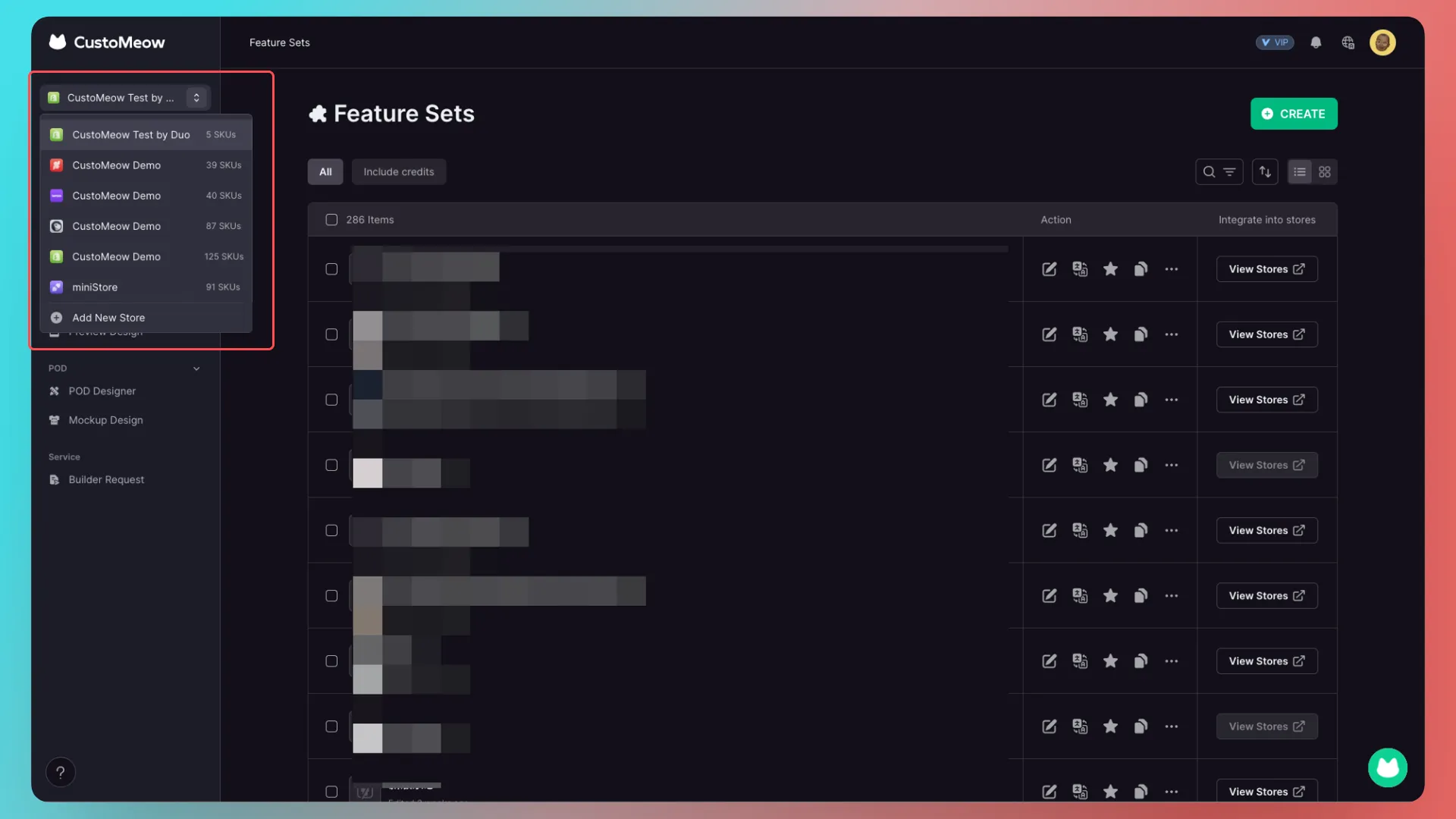
Important: Installing the CustoMeow app in your e-commerce admin panel does not mean that your store has already been connected. You still need to complete the connection in CustoMeow.
1. Major self-hosted store platforms (Shopify, Shopline, and Shoplazza)
There are two ways to connect a self-hosted store platform:
- Retrieve the button element.
- Add a CustoMeow button to your theme template.
We strongly recommend the Add Button method:
- It lets customization features appear directly on product detail pages.
- It supports POD.
- As part of the theme template, it offers better compatibility.
Walkthrough: retrieve the button element
The process is the same for Shopify, Shopline, and Shoplazza. The Shopline walkthrough is used as an example here.
Add a CustoMeow button to your theme template
Click the link below to view the illustrated tutorial.
View the CustoMeow Buttons tutorial
Regardless of which connection method you choose, it must be completed in the theme template currently in use.
Important: The Add CustoMeow Button method only works on the default product detail page.
Frequently asked questions
Q: What if I do not want to use a CustoMeow button for non-customized products, or if I use another customization app?
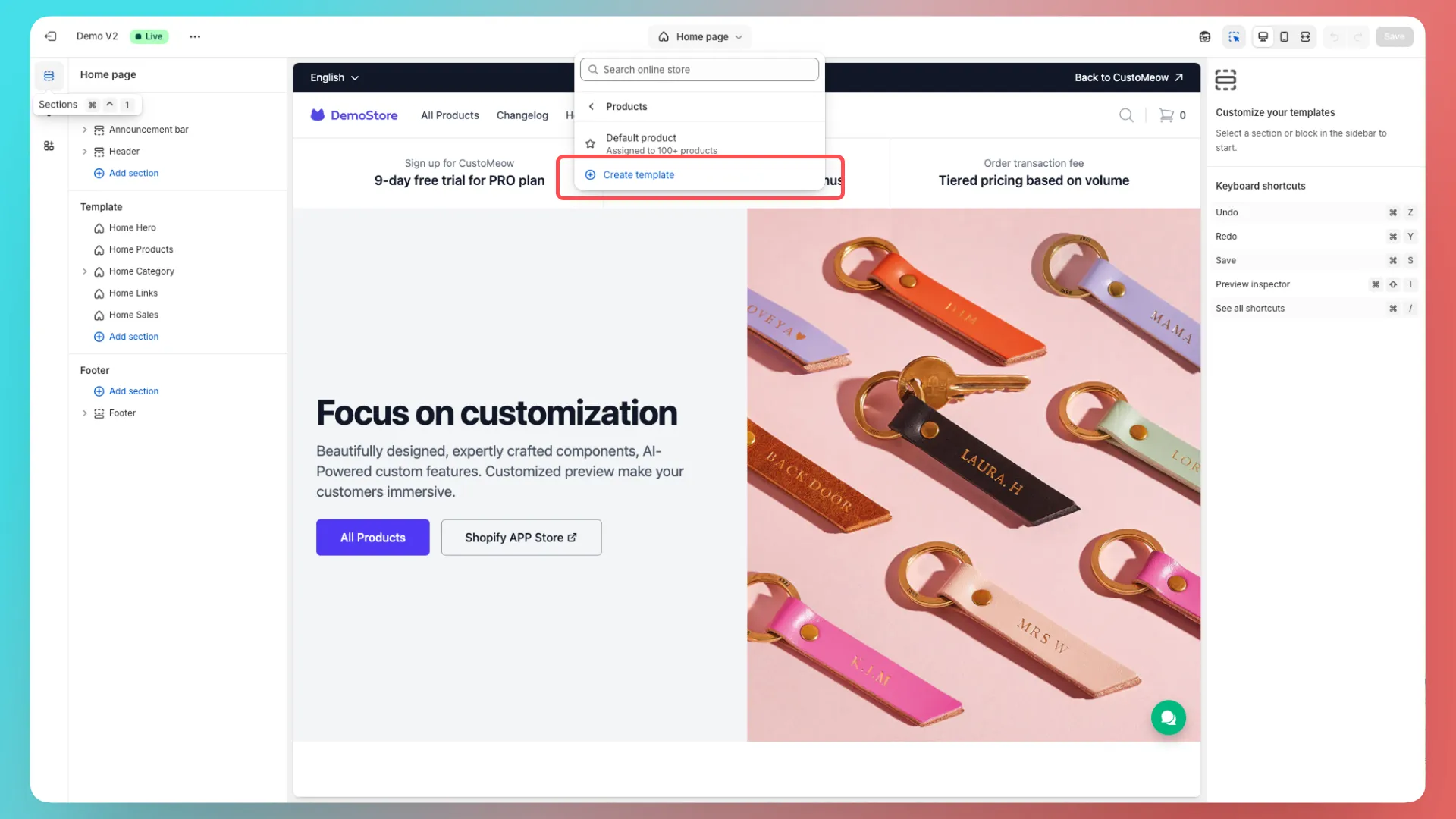
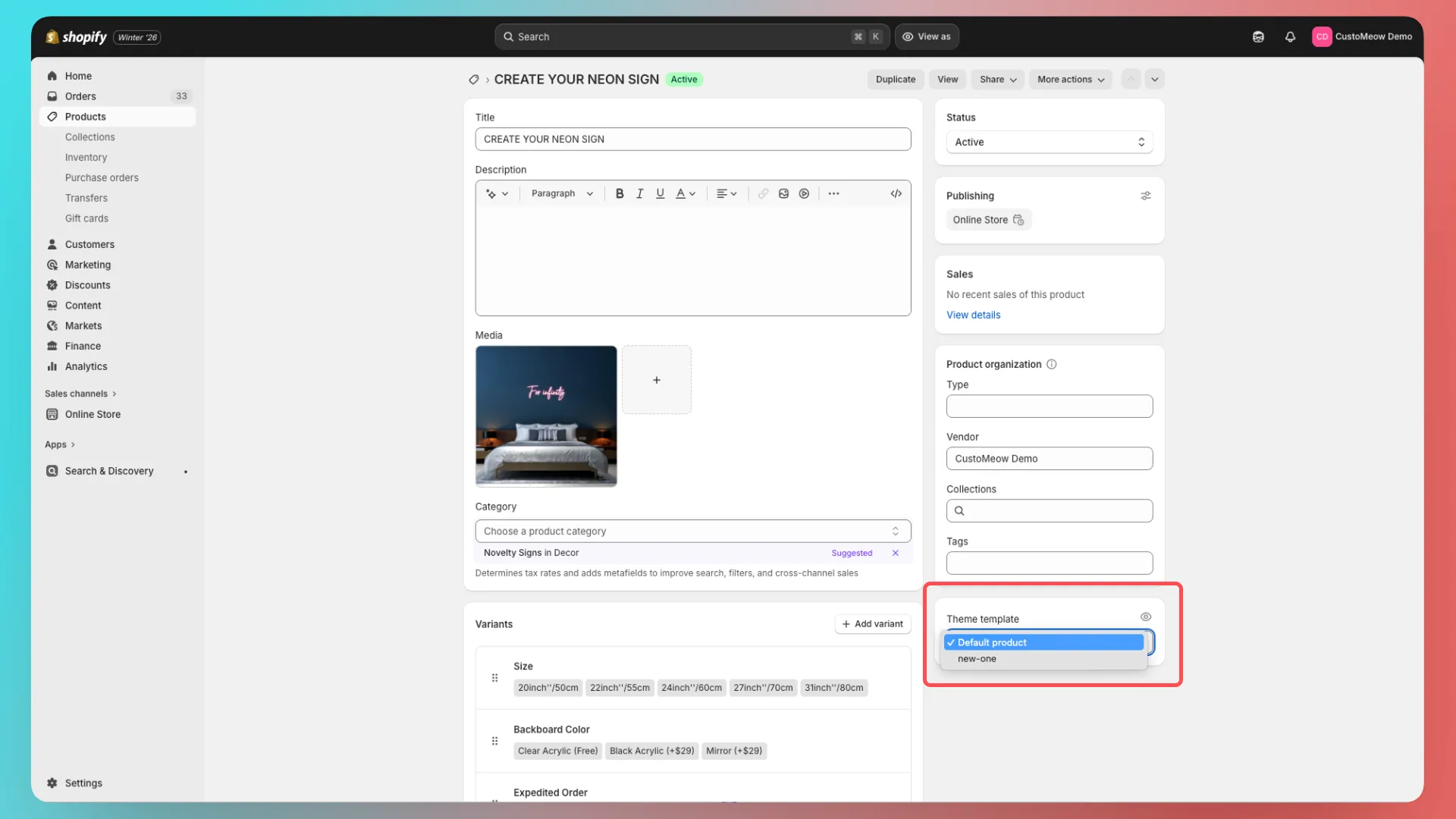
A: Create a new product detail page template and assign non-customized products, or products that use other apps, to that template. Assign products that use CustoMeow to the default product detail page.
1. Create a new product detail page template
2. Assign products
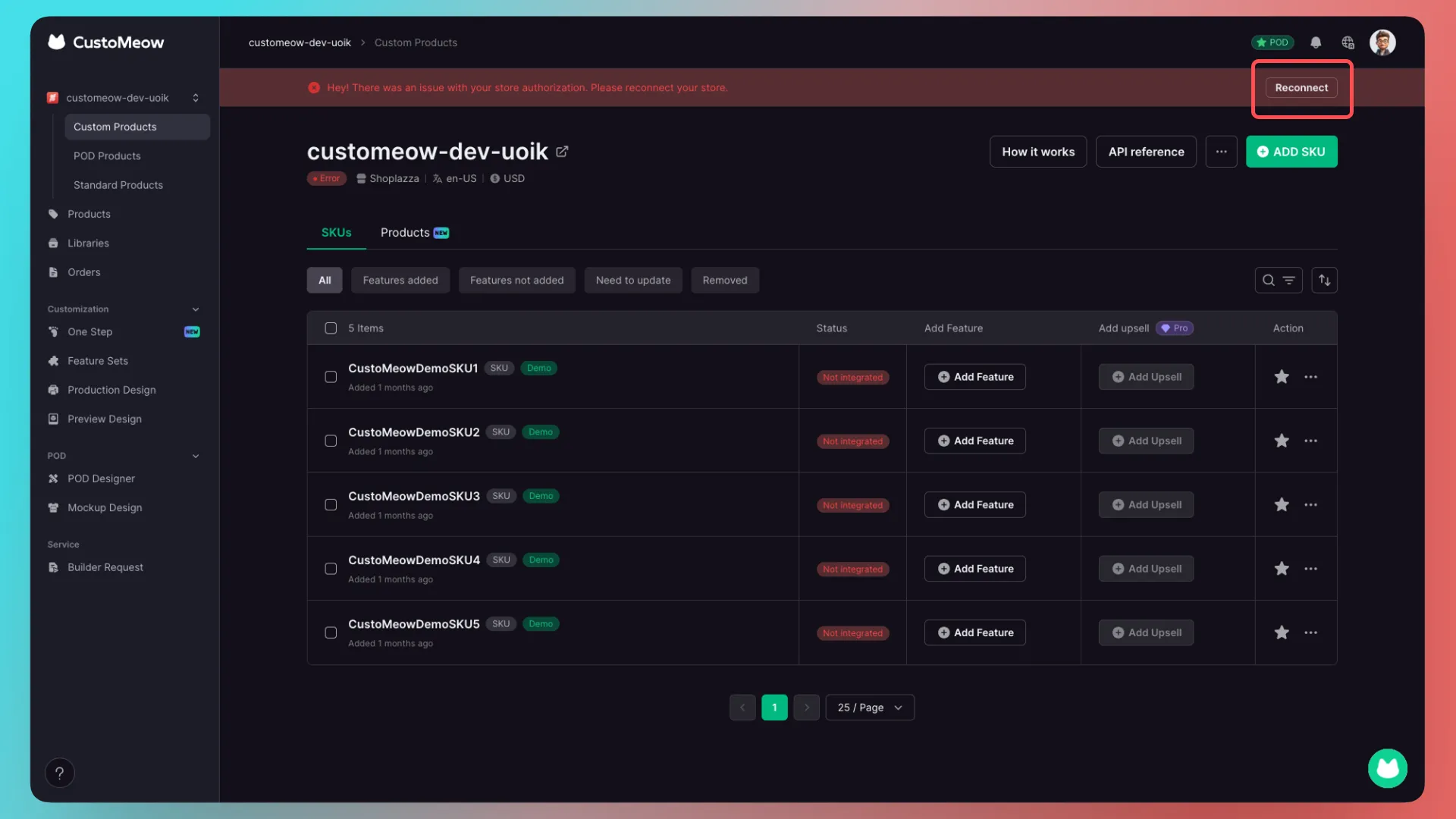
Q: If I change my theme template, do I need to reconnect my store?
A: Yes. Go to the Stores page in CustoMeow, click Reconnect, and complete the process again.
2. Cross-border e-commerce platforms (TikTok Shop, AliExpress, and Etsy)
For Etsy, see the connection guide below.
View the Etsy connection guide
Guides for the other platforms are coming soon.
3. WooCommerce
Guide coming soon.
4. API
CustoMeow provides API documentation for developers.
Further Reading
Getting Started
- Beginner Guide: Create Your First Customization Feature Step by Step
- How to Integrate a Customization Feature into a Product Landing Page (Product Detail Page)
Advanced Features
- Templates in CustoMeow
- Use Component Conditions to Control Whether Components Are Shown or Hidden
- What Can Workflow Do?
Add-on Pricing and Upselling
- What Is an Add-on Price Product?
- What Is an Upsell Product?
- Cart Binding for Add-Price and Upsell Products
Updated on: 27/10/2026
Thank you!